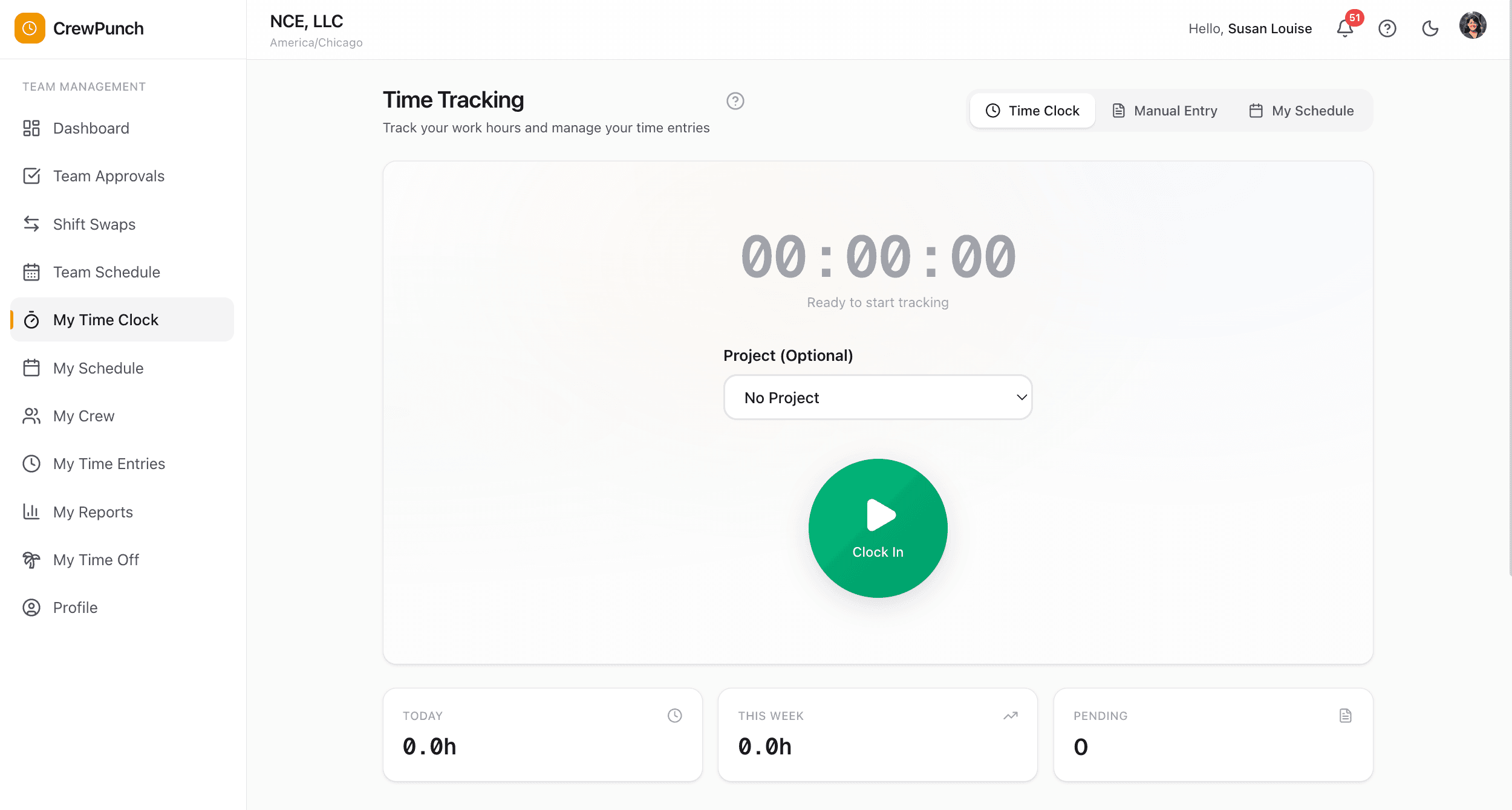
Clock in from any desktop.
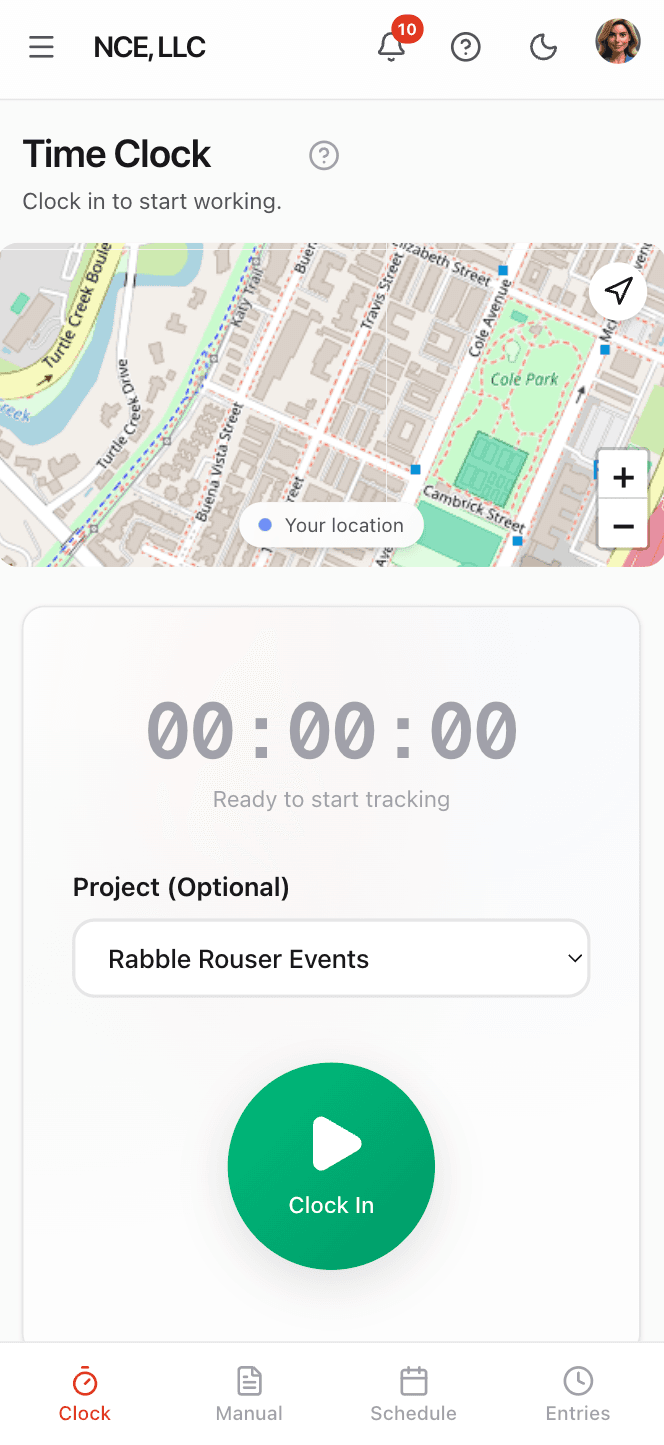
Clock in from mobile.
Why teams love One-Tap Time Clock
Works on Any Device
No app to download. CrewPunch runs in any web browser so your team can clock in from their own phones, a shared tablet, or a desktop computer.
GPS-Verified Punches
Every clock-in and clock-out captures the employee's location automatically, so you always know where hours were logged.
Real-Time Dashboard
See who's clocked in right now with live elapsed time. Your admin dashboard flags employees who are scheduled but haven't clocked in yet.
Project Tracking
Employees can assign each punch to a project from an optional dropdown. See exactly how many hours go to each job, client, or cost center.
How it works
CrewPunch turns any smartphone, tablet, or computer into a powerful time clock. Employees simply log in and tap to clock in — no app downloads, no training, no hassle. Every punch is GPS-verified and timestamped automatically, giving you accurate records without the paperwork. A live timer shows elapsed hours, and employees can optionally assign time to a project for detailed tracking.
Employees log in from any browser
Your team visits CrewPunch on their phone, tablet, or computer. No app store download — just a web browser and their login credentials.
One tap to clock in
A large Clock In button starts the timer. GPS location is captured automatically in the background. Employees can optionally select a project before clocking in.
One tap to clock out
When the shift is done, employees tap Clock Out. The time entry is saved with start time, end time, total hours, and location data — ready for manager approval.
Built for every workplace
See how teams across industries use One-Tap Time Clock.
Construction & Field Service
Crews clock in from the job site on their phones. GPS proves they were on location — no more buddy punching or guesswork about who showed up.
Restaurants & Hospitality
Front-of-house and kitchen staff clock in on arrival. Managers see who's on the floor in real time and catch no-shows before the rush.
Retail
Associates clock in from the sales floor or break room. Hours flow directly into payroll reports — no manual timesheets to collect.
Healthcare & Home Services
Caregivers and technicians clock in at client locations. GPS-stamped punches provide proof of service for billing and compliance.
Frequently asked questions
Do employees need to download an app?
No. CrewPunch is a web application that works in any modern browser — Chrome, Safari, Firefox, or Edge. Employees just log in and tap to clock in. There's nothing to install or update.
How does GPS verification work?
When an employee clocks in or out, the browser asks for location permission. The GPS coordinates are captured and stored with the time entry. Managers can see the exact location on a map. If you set up geofences, CrewPunch can also verify employees are at the correct work site.
Can employees clock in without GPS?
Yes. If an employee declines the location prompt or their device doesn't have GPS, the punch still goes through — it just won't have location data attached. You can configure whether GPS is required or optional in your company settings.
What happens if an employee forgets to clock out?
Your admin dashboard shows all currently clocked-in employees with elapsed time. Managers can manually add a clock-out time for any missed punch, or employees can submit a manual time entry to correct the record.
Can employees track time to different projects?
Yes. Before clocking in, employees can select a project from an optional dropdown. This lets you see exactly how many hours go to each job, client, or cost center when you run payroll reports.
How many employees can use the time clock?
It depends on your plan. The Starter plan ($25/mo) supports up to 10 employees, Growth ($49/mo) supports up to 50, and Business ($79/mo) supports up to 150. Need more? Contact us for Enterprise pricing.
Related features
Explore more ways CrewPunch helps your team.
GPS Geofencing
Set up geofences around work sites and ensure employees can only clock in when on location. GPS tracking for construction, field service, and distributed teams.
Kiosk Mode
Turn any tablet into a shared time clock kiosk. Employees clock in with a PIN code. Perfect for restaurants, warehouses, and retail stores.
Payroll Reports
Two powerful report tools: Payroll Reports with automatic overtime and pay calculations, and Activity Reports with detail/summary views, custom date ranges, and employee or project filters. Export as CSV or Excel.
Ready to try One-Tap Time Clock?
The easiest way to track hours for your hourly team. Try it free for 14 days.
Start Your Free Trial14-day free trial • No credit card required • Cancel anytime